

How to download music for free
- Decide what you need: a song to listen to, or music you want to reuse.
- To listen, search a free service such as Tubidy and save an MP3 or MP4 file.
- To reuse music, choose a library that shows a licence for each track.
- Download only from buttons on the site itself and check the file type.
Copyright rules differ between countries, so check the terms of the site and track you use.
On this page8 sections
Search Tubidy for songs, artists or music videos
Compare Available Sources
Free music comes from different kinds of sources, and each one works in its own way:
| Option | What you get | Check before you download |
|---|---|---|
| Tubidy | Search for songs and music videos and save MP3 audio, MP4 audio or MP4 video | Use the Download button under the song title; adverts can open new tabs |
| Free music libraries | Tracks shared by artists, often under Creative Commons licences | The licence on each track, especially for reuse in videos or projects |
| Artist downloads | Songs an artist chooses to offer for free on their page or store | That the download comes from the artist's own page |
| Streaming apps | Songs saved for offline listening inside the app | Offline saving is usually part of a paid plan, and files stay inside the app |
Searches such as "Tubidy MP3 Juice" usually come from people comparing download sites. Whatever site you use, check the download button, the file type and the licence before you save a song.
Download Free Music with Tubidy
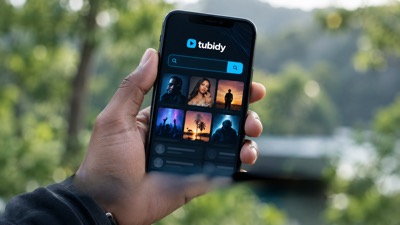
Tubidy works in the browser on phones and computers, and searching and choosing a format do not need an account.
Step 1: Search for the song
Type the artist and song title in the search box at the top of the page.
Step 2: Open the result and tap Download
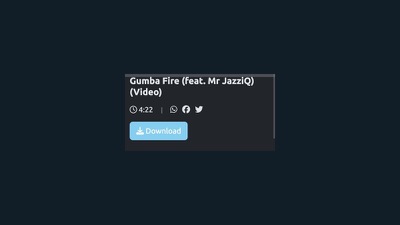
Check the title and duration, open the right result and tap Download under the title.
Step 3: Choose a format
Tap Download next to MP3 audio, MP4 audio or MP4 video. The download guide shows each step with screenshots.
Check Permissions
If you want music for a video, a podcast or another project, a song you can listen to for free is not automatically free to reuse. Look for tracks with a clear licence.
Creative Commons licences are common in free music libraries. Their short codes tell you what is allowed:
- BY: credit the artist when you use the track.
- NC: non-commercial use only.
- ND: no changes or edits to the track.
- SA: share your new work under the same licence.
Read the licence on the track page itself. Different tracks from the same artist can have different licences.
Formats and Devices
On Tubidy, songs can be saved as MP3 audio, MP4 audio or MP4 video. MP3 audio plays in almost every music player; MP4 video includes the picture.
On a phone, your browser saves files to Downloads on Android or to the Files app on iPhone. On a computer, files go to the Downloads folder. The mobile download guide covers Android and iPhone step by step, and the format comparison explains the formats.
Stay Safe When Downloading Free Music
- Check the address bar before you search. Copycat sites often use similar names.
- Use the download buttons on the site itself, not large buttons inside adverts.
- A music file should end in .mp3 or .mp4. Do not open files that end in .exe or .apk.
- Be careful with install or update prompts that appear while you browse.
- On a computer, keep your security software and browser up to date.
The safety guide shows how to spot the real Download button and manage browser notifications.
Copyright and Personal Use
Copyright rules differ between countries. Keep downloaded songs for personal listening unless the track's licence allows more, and do not share or sell copies of protected music. The copyright guide explains permissions, sharing and removal requests in more detail.
Using music in public videos or commercial projects needs the right licence or the rights holder's permission. Read the Terms and copyright information of the site you use.
Questions About Free Music Downloads
Is it legal to download music for free?
It depends on the source, the track's licence and the law in your country. Music shared by the artist or under a licence can be used within the terms of that licence.
Do I have to pay to use Tubidy?
No. Searching and downloading on Tubidy are free and do not need an account. The site is supported by advertising.
Is MP3 Juice the same as Tubidy?
No. MP3 Juice is a separate website, and people often search for "MP3 Juice Tubidy" when comparing free music sites. This guide explains how Tubidy works; check any other site's terms and file types before you download from it.
Can I use free music in my YouTube or TikTok videos?
Only if the track's licence or the rights holder allows it. Look for tracks with a licence that permits reuse, and credit the artist if the licence asks for it.
How do I download free music on my phone?
Open Tubidy in your phone's browser, search for the song, tap Download and choose MP3 audio, MP4 audio or MP4 video. The file goes to Downloads on Android or to the Files app on iPhone.
How can I tell if a download is safe?
Download from buttons on the site itself, check that the file ends in .mp3 or .mp4, and do not open files that end in .exe or .apk.