

How to fix Tubidy when it is not working
- Search with the artist and song title, without extra words.
- Use the Download button under the song title, not buttons in adverts.
- Allow downloads for the site in your browser and check your free storage.
- If the site does not load, try another network, then clear the browser cache.
Still stuck? Contact the site with your device, browser and what you see on screen.
On this page8 sections
Search Tubidy for songs, artists or music videos
Find Your Problem
| What you see | Likely cause | Go to |
|---|---|---|
| No results for a song you know | Query too long, a spelling variant or a very new release | Search fixes |
| Download does nothing or opens another site | An advert button, or downloads blocked in the browser | Download fixes |
| The page does not load | Network restriction, wrong address or an old cached page | Access fixes |
| The file will not play | Interrupted download or an unsupported player | Playback fixes |
No Search Results
Use the artist and song title
One common word returns a long list or nothing useful. Type the artist name and the song title together, for example Focalistic Gumba Fire.
Remove extra words
Leave out words such as "mp3", "download", "official video", the year and long featured-artist lists. The shortest combination of artist and title usually works best.
Try another spelling
Songs with titles in isiZulu, Sesotho or other local languages are often spelled in more than one way. If one spelling returns nothing, try another, or search for the artist on their own and pick the song from the list.
Try again later for new releases
A song released very recently may not appear straight away. Search again later, or search for the artist to see what is already available.
Download Does Not Start
Use the real Download button
The Download button sits under the song title, next to the duration. Large, colourful buttons inside adverts are not part of the download. If a tap opens a new tab with another website, close it and go back to the song page.
Wait for the format table
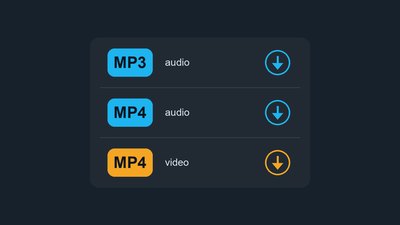
After you tap Download, Tubidy prepares the formats, which can take a few seconds. If the table does not appear, reload the page or open another result for the same song.
Allow downloads in your browser
Android (Chrome): open Settings, then Site settings, and check that downloads are allowed for the site.
iPhone (Safari): open the Settings app, find the Downloads setting for Safari and check that a location is selected.
Computer: check that your browser is not set to ask for a folder that no longer exists.
Check storage and the download list
Make sure your device has free space, then open your browser's download list. A download that started may already be there, or it may show why it stopped.
Tubidy Site Does Not Load
Check the address
Many sites use the Tubidy name or a close misspelling such as "tubidi". Check the address bar and use a bookmark for the site you normally use.
Try another network
Some networks restrict certain websites. If the site opens on mobile data but not on Wi-Fi, or the other way round, the restriction is on that network, not on your phone.
Change your DNS setting
If one network keeps failing, switching your device or router to a public DNS service can help it find the site. Change the setting back if it does not make a difference.
Clear the browser cache
An old cached page can keep loading after a site changes. Clear cached images and files in your browser's privacy settings, then open the site again.
File Will Not Play
Download the file again
A file that stops after a few seconds was probably interrupted. Delete it and download it again on a stable connection, ideally on Wi-Fi for videos.
Check the file type and player
The file name should end in .mp3 for MP3 audio or .mp4 for MP4 audio and video. If your music app does not open it, try another player app. Never open a download that ends in .exe or .apk.
Is Tubidy Down?
If searching, downloading and opening pages all fail at the same time on two different networks, the service may have a temporary problem. Wait a while and try again.
If it still does not work, contact the site and include your device, browser, the song you searched for and a screenshot of what you see.
Questions About Tubidy Problems
Why is Tubidy not downloading?
Usually an advert button was tapped, the browser is blocking downloads, storage is full or the format table did not load. Use the Download button under the song title, allow downloads for the site and check your free space.
What happened to Tubidy?
If the site does not open, the problem is often the network, an old address or a cached page. Try another network, check the address bar and clear your browser cache. If it still fails on two networks, the service may have a temporary problem.
Why does Tubidy show no results for a popular song?
Usually the search is too long or uses a different spelling. Search for the artist on their own and pick the song from the list.
Why does the download open a new tab?
A button inside an advert was probably tapped. Close the new tab, go back to the song page and use the Download button under the song title.
Where did my download go?
On Android, look in Downloads or the Files app. On iPhone, open the Files app and go to Downloads. On a computer, check the Downloads folder.
Do I need an app to use Tubidy?
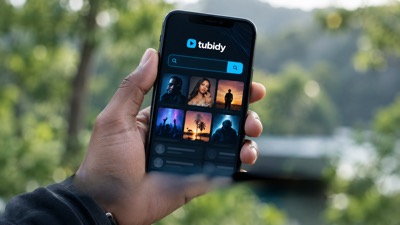
No. Tubidy works in your phone or computer browser, so there is nothing to install to search or download.
How do I report a problem that is not listed here?
Use the contact page and include your device, browser, the song you searched for and a screenshot of the error.