


How to save mobile data
- Choose MP3 audio when you only want to listen.
- Check your data balance and free storage before you download.
- Save music videos and long mixes for Wi-Fi.
- Play saved files offline: listening again uses no data.
Searching and opening pages still use a little data; playing a file that is already on your phone does not.
On this page6 sections
Search Tubidy for songs, artists or music videos
Estimate Audio File Size
Whether you download from Tubidy or elsewhere, the size of an audio file depends on its bitrate and length. MP3 audio at 128 kbps, a common bitrate, takes about 1 MB per minute, so a four-minute song is roughly 4 MB. Higher bitrates make bigger files, and a music video is bigger still.
| Song length | Approximate MP3 audio size | Songs per 100 MB (approx.) |
|---|---|---|
| 3 minutes | 2.9 MB | 34 |
| 4 minutes | 3.8 MB | 26 |
| 6 minutes | 5.8 MB | 17 |
| 60-minute mix | 58 MB | 1 |
These are estimates. The real size depends on the bitrate and the upload.
Choose an Available Format
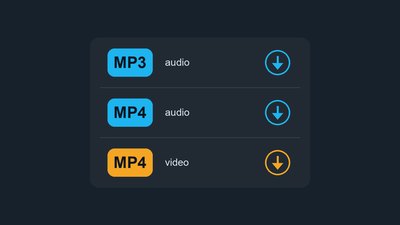
MP3 audio and MP4 audio are sound only; MP4 video adds the picture, so it is usually much larger. MP3 audio is the practical choice for listening on a bundle. The MP3 vs MP4 guide explains the formats.
Save Files for Offline Listening
- Downloaded files stay on your phone until you delete them.
- Playing them again uses no mobile data, in airplane mode too.
- Streaming the same song again would use data every time.
Manage Storage on Your Phone
- Check free space before downloading videos or long mixes.
- Delete songs you no longer play from Downloads or the Files app.
- Move music to an SD card or a computer if your phone supports it.
The mobile download guide shows where files are saved on Android and iPhone.
Data and Storage Questions
How much data does one song use on Tubidy?
It depends on the length and the bitrate. MP3 audio at 128 kbps takes about 1 MB per minute, so a four-minute song is roughly 4 MB.
Does playing a downloaded song use data?
No. A file saved on your phone plays offline without using mobile data.
Is MP4 video much bigger than MP3?
Usually, yes. A music video carries the picture as well as the sound, so it takes far more data than the MP3 of the same song.